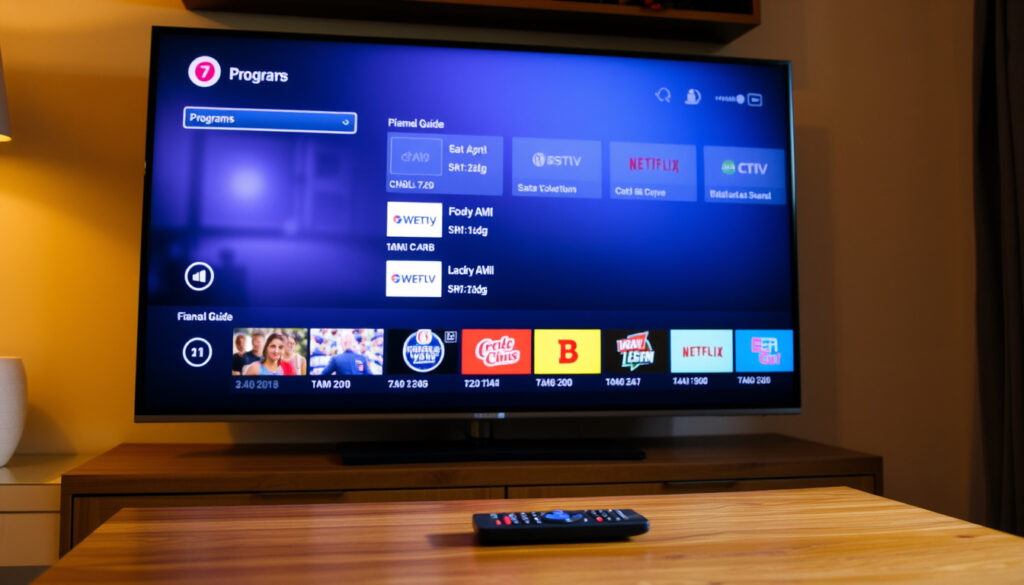
U&Drama Listings: Today’s Schedule & Channel Guide
Most people find U&Drama the way they find any good habit: by accident, mid-scroll, when a familiar face from The Bill turns up at a sensible evening hour. The comfort depends on one small piece of homework — knowing where the channel actually lives on your remote, your aerial, and your phone; UKTV’s own channel listing confirms U&Drama is available without a premium add-on across Freeview, Freesat, Sky and Virgin Media, so once the right number is pinned down, tonight’s classic drama is a couple of clicks away.
Free on Freeview: Channel 20 ·
Free on Sky: Channel 144 ·
Free on Virgin Media: Channel 194 ·
Free on Freesat: Channel 166 ·
On-demand via U app: Available on iOS, Android, Smart TVs, and streaming devices
Quick snapshot
- U&Drama is free on Freeview, which lists it at channel 20
- It is part of UKTV’s standard channel line-up on Sky, Virgin Media and Freesat
- The free U app is available on Freeview Play, YouView, Freesat, Sky Glass and Sky Stream
- The exact date Drama became U&Drama isn’t stated on UKTV’s public channel pages
- The full device list for the U app keeps changing; UKTV lists Fire TV, Roku, Apple TV, Samsung, YouView, Freeview Play and Freesat without guaranteeing older models
- Regional channel-number variations aren’t documented in the official Freeview listing
- Launched in 2014 as Drama, part of the UKTV family
- U&Drama is the name today after UKTV moved its channels under the U brand
- The U app handles live and on-demand streaming
- Check U’s official TV guide for the programme currently airing
- If channel 20 is missing on Freeview, run a retune — Freeview’s channel page shows the current slot
- Download the U app to watch on more screens
Eight rows, one pattern: the channel stays the same on every platform, and only the slot number changes with your box.
| Detail | Value |
|---|---|
| Launch year | 2014 (as Drama) |
| Owner | UKTV |
| Freeview | Channel 20 |
| Sky | Channel 144 |
| Virgin Media | Channel 194 |
| Freesat | Channel 166 |
| Availability | UK only |
| Streaming | U app |
The catch: the Freeview slot comes from Freeview’s own channel page, and satellite or cable slots occasionally reshuffle — which is why third-party trackers like UKTV Guide exist.
What shows are on U&Drama today?
- Classic crime: The Bill and Silent Witness are staples of the channel’s identity, along with Call the Midwife — UKTV’s channel description names them directly
- Newer mystery and period drama: series such as Sister Boniface Mysteries, Whitstable Pearl and The Marlow Murder Club sit in the same slot family — UKTV’s corporate page
- The format is repeat-friendly: UKTV describes the channel as carrying classic and modern drama, which in practice means proven series returning night after night — UKTV
Today’s schedule highlights
- Overnight and early morning: teleshopping and repeat runs of classic crime, with The Bill a regular
- Afternoon: films and classic drama series, often in multi-episode blocks
- Evening: crime and drama programming, usually drawn from the same proven library
To see today’s exact U&Drama listings, U’s official TV guide shows the programme currently airing, and third-party listings such as My Telly’s U channel pages lay out the full day.
Tonight’s primetime lineup
- Primetime is when U&Drama leans on its strongest titles: crime series and period dramas with recognisable names
- The exact programme changes every night; the official U guide is the only accurate source for tonight’s slot
- Most episodes can be watched on demand afterwards in the U app, so a missed episode is rarely missed
Repeat-friendly is the point: U&Drama curates a library of familiar crime and drama, so the smartest way to catch a specific episode is the U app’s on-demand library rather than hoping the nightly schedule cooperates.
Why this matters: the schedule is the product. U&Drama doesn’t sell a breakthrough original; it sells the comfort of knowing what’s on, and the listings page is the only reliable map to that comfort.
What is the U&Drama schedule for tomorrow?
- Tomorrow’s full U&Drama listings are published in U’s official TV guide and on third-party listings sites such as My Telly
- The structure follows the same rhythm as today: daytime repeats of classic drama, a film block in the afternoon, and crime in the evening
- If you’re comparing channels, U&Dave, the sister channel, sits at Freeview 19 — immediately below U&Drama’s 20 — Freeview lists U&Dave at 19
How to check tomorrow’s schedule in two minutes
- Open U’s TV guide on your phone and tap the date selector
- Choose U&Drama from the channel list
- Alternatively, open the U app, go to Live TV, and scroll through the channel’s upcoming titles
Listings published days ahead can shift when a broadcaster swaps a programme, especially on repeat-heavy channels. The “now showing” line in the official guide is the only version you should trust tonight.
The pattern: tomorrow is usually a variation on today — same library, different order. If you’re after something specific, on-demand beats the planner every time.
What channel is U&Drama on?
Five platforms, one channel — and the channel number changes with each one. The current slots:
| Platform | Channel number |
|---|---|
| Freeview | 20 |
| Freesat | 166 |
| Sky (including Sky Glass and Sky Stream) | 144 |
| Virgin Media | 194 |
| U app (streaming) | No channel number — live and on demand |
- UKTV’s corporate channel page confirms U&Drama is carried on Freeview, Freesat, Sky, Virgin Media and Freely in the UK
- Freely, the internet TV platform, delivers U&Drama without an aerial or satellite dish
Channel numbers move. If a number from an old guide doesn’t work, the channel hasn’t disappeared — the slot has probably been reshuffled, and the official Freeview page is the fastest way to find the current one.
The implication: whatever box you use, U&Drama is there. The only real task is learning your platform’s number, and the table above is the crib sheet.
Is U&Drama a free channel?
- On Freeview: yes, free-to-air with no subscription — Freeview’s channel page lists U&Drama in the free line-up
- On Freesat: yes, free-to-air through a satellite dish, same as the other UKTV channels
- On Sky and Virgin Media: included in the standard package and listed by UKTV among its regular channels, not a premium add-on
- On the U app: free to download, free to watch live, and free to browse on demand — U’s ways-to-watch page
Free channel, not a free ride: UK law expects a TV licence for watching or recording live television in the UK, and U&Drama’s live streams count. That charge belongs to the licence, not to UKTV.
The trade-off: “free” means no subscription to UKTV — on Freeview it literally costs nothing, and on Sky and Virgin it’s bundled into what you already pay. The only extra you might owe is to the TV Licensing authority, not the broadcaster.
How do I get U&Drama on my TV?
On Freeview or Freesat
- Freeview: connect an aerial, tune your TV, and U&Drama appears at 20 — Freeview’s official channel page confirms the slot
- Freesat: connect a satellite dish and find U&Drama at 166
- If 20 is missing on Freeview, run a retune — Freeview Play boxes normally pick the channel up automatically
On Sky or Virgin Media
- Sky Q, Sky Glass, Sky Stream and Sky Go all carry U&Drama; catch-up is included — U’s ways-to-watch page notes the Sky+HD, Sky Q, Sky Glass, Sky Stream and Sky Go coverage
- Virgin Media carries U&Drama at 194; catch-up sits under Home > Catch Up — U’s page describes the Virgin route
- The platform list is confirmed by UKTV’s corporate channel page
Watching via the U app on smart TVs
- Freeview Play and Freely TVs: the U app is pre-installed on many models or free to download — U’s ways-to-watch page
- YouView, Freesat, Sky Glass and Sky Stream devices run the app from their app areas — U documents each route
- For other smart TVs and sticks, supported systems include Samsung Tizen, Google TV, Fire TV, Roku and Apple TV — UKTV’s corporate page lists them
If you’re buying a TV mainly for U&Drama, a Freeview Play set is the shortest path: channel 20 for live, the U app for on-demand, and no dish or separate box to maintain.
The pattern: there are three routes — aerial (Freeview), dish (Freesat or Sky), or broadband (the U app or Freely). Every route reaches the same channel; the difference is which remote you already own.
Is U TV free on Smart TV?
- The U app is free to download and needs no subscription for live or on-demand viewing — U’s ways-to-watch page
- Samsung TVs running Tizen 2.4 through 9.0 are supported — U lists the compatible Tizen range
- Google TV devices can install it from Google Play — U’s device list
- Fire TV, Roku and Apple TV are supported; UKTV’s corporate page names them all — UKTV
Finding the U app on your smart TV
- Samsung: search “U” in Samsung Apps (Tizen models)
- Google TV / Android TV: install from Google Play
- Fire TV: install from the Amazon Appstore
- Roku: add channel from the Roku Channel Store
- Apple TV: install from the App Store
What the app gives you
- Live channels including U&Drama and U&Dave
- On-demand box sets from UKTV’s channel family
- Free sign-up for a UKTV account to activate your devices
The implication: “free on smart TV” is true, but it’s conditional on the TV’s age. If your TV’s app store doesn’t show U, the hardware — not the channel — is the bottleneck.
How do I activate U on my TV?
- Install the U app from your TV’s app store
- Open it and choose Sign in
- Note the activation code the app displays on screen
- On your phone or computer, open the U website and enter the code, or confirm the sign-in link
- Back on the television, the app refreshes and U&Drama appears under Live TV
The whole flow follows the device routes U documents on its ways-to-watch page; activation itself is handled through a free UKTV account or the code step above.
What to do if activation fails
- Restart the app and repeat the code step
- Check the internet connection and update the TV’s firmware — outdated software is the usual culprit
- If the app never appears in your TV’s store, the model may be too old to be supported — UKTV’s app device list is the reference
- If the app loads but won’t play, it may be a service issue; UKTV’s support centre is the place to check for outages
The catch: activation is a five-minute job when the code step works, and a TV that’s years behind on updates is the usual suspect when it doesn’t.
How to watch U&Drama on any TV: step by step
The fastest route that works on every screen is the U app; the simplest route for the living room is Freeview. Here’s the full sequence for both.
- Choose your route: the U app for phones, tablets and smart TVs, or Freeview channel 20 for a broadcast picture
- For the app: open your TV’s app store — Samsung Apps, Google Play, Amazon Appstore, Roku Channel Store or Apple App Store — and search “U”
- Install the app, open it, and sign in with a free UKTV account or the activation code flow — U’s ways-to-watch page covers the supported paths
- Open Live TV in the app and choose U&Drama
- For Freeview: tune to channel 20 — Freeview’s channel page — and if it’s missing, run a retune from the TV’s set-up menu
The bottom line: the app route is device-agnostic and free; the aerial route is even simpler but depends on good Freeview reception. Either way, the channel is waiting under the same U brand that now carries the whole UKTV family.
Timeline: how U&Drama got here
The dates below follow UKTV’s public record of the channel’s launch and rebrand, with the current line-up confirmed on UKTV’s corporate channel page.
| Year | Event |
|---|---|
| 2014 | UKTV launches the channel as Drama |
| 2021 | UKTV consolidates its portfolio under the U brand; Drama becomes U&Drama |
| 2022 | The U app replaces UKTV Play for live and on-demand streaming |
| Ongoing | The schedule stays with classic crime and period drama — UKTV’s current description |
The takeaway: every change was packaging, not programming. The channel launched in 2014 is the same one showing The Bill tonight — with a new name and an app.
What’s confirmed about U&Drama — and what’s not
A quick scorecard before you go hunting for a specific episode.
Confirmed facts
- U&Drama sits on Freeview channel 20 — Freeview’s official listing
- U&Drama is available across Freeview, Freesat, Sky, Virgin Media and Freely — UKTV’s corporate page
- The U app is free and carries live plus on-demand content — U’s ways-to-watch page
- Ownership stays with UKTV — UKTV corporate
What’s still unclear
- The exact date Drama became U&Drama isn’t publicised on UKTV’s current pages
- The full supported-device list changes over time, and no single official page names every compatible model — U’s ways-to-watch page is the closest reference
- Regional variations in channel numbers aren’t documented in the official Freeview listing
- Third-party guides sometimes disagree with each other on exact slots, which is why the official page is the safer check — third-party UKTV Guide
The implication: the core facts are solid — free channel, free app, clear slot on Freeview. The fuzzy edges are cosmetic: exact rebrand dates, the full device list and regional slot variations.
What UKTV says about U&Drama
Three voices define the channel’s practical reality — the owner, the platform and the guide that lists it.
U&Drama is home to classic and modern drama. UKTV points to Call the Midwife, The Bill and Silent Witness, and to newer crime series such as Sister Boniface Mysteries, Whitstable Pearl and The Marlow Murder Club.
— UKTV, corporate channel page
Watch U’s channels on the devices you already own: the U app is available on Freeview Play and Freely TVs, YouView, Freesat, Sky Glass and Sky Stream, and on Samsung, Fire TV, Roku, Apple TV and Google TV.
— U, official ways-to-watch page
U&Drama is part of the free channel line-up and is listed on Freeview at channel 20.
— Freeview, official U&Drama channel page
The pattern: nobody in that chain sells U&Drama as a premium product — owner, platform and guide all treat it as standard free television.
Bottom line
U&Drama skips the marketing and just runs the programmes, the same way it has since it launched as Drama. For UK viewers, the practical choice is between the aerial route at Freeview 20, the dish route at Freesat 166 or Sky 144, and the app route that works across the main supported smart-TV platforms — and the only genuinely wrong answer is assuming the channel moved and missing tonight’s run of The Bill. For UK viewers ready to watch in the next ten minutes, the decision is clear: open the U app, or turn to Freeview 20 — both lead to the same drama, and neither costs more than the setup you already own.
Frequently asked questions
Is U&Drama on Freeview?
Yes. U&Drama is listed at Freeview channel 20 in Freeview’s official channel guide.
Can I watch U&Drama on my Smart TV?
Yes, through the free U app on Samsung, Google TV, Fire TV, Roku, Apple TV, Freeview Play, YouView and Freesat-connected devices — U’s device list.
Do I need a satellite dish or aerial for U&Drama?
Only for the broadcast routes: Freeview needs an aerial, while Freesat and Sky need a dish. If you watch through the U app on a broadband-connected TV, you need neither.
Is the U app free to download?
Yes, and no subscription is required to watch live channels such as U&Drama or its on-demand library — U’s ways-to-watch page.
Which app has U&Drama?
The U app — the successor to UKTV Play — carries U&Drama live and on demand.
Can I record U&Drama programmes?
Yes, if you watch through Sky or Virgin Media, your box’s normal recording tools work like they do on other channels. The U app itself is live-plus-on-demand rather than a cloud recorder.
The quick version: if the channel is missing, check the number first and the app second — the answer is almost always one of the two.
Related reading
- RTÉ Player Telly Bingo Today Live: Schedule & Prizes
- New to Netflix Ireland? Top 10, Hidden Gems & Plans (2025)
For the same schedule-first habit on Ireland’s free TV platforms, these two guides cover the neighbouring side of the same viewing problem.
More related posts
 QQI Level 5 Healthcare: How to Get Qualified in Ireland
 Harvey Norman Washing Machines: Prices, Brands & Reliability
 What Time Is It in Melbourne? Current Time, Zone & Travel Guide
 Best Api con Pastel Near Me: Menu, Recipe, and Where to Find It
 Chennai Super Kings vs Mumbai Indians Timeline: Head-to-Head
 Slavia Prague vs Arsenal: Head-to-Head, Prediction & Stats
 Houses for Sale in Claremorris – Listings, Prices & Guide
 Love at First Sight: Meaning, Science & 2023 Movie Guide